



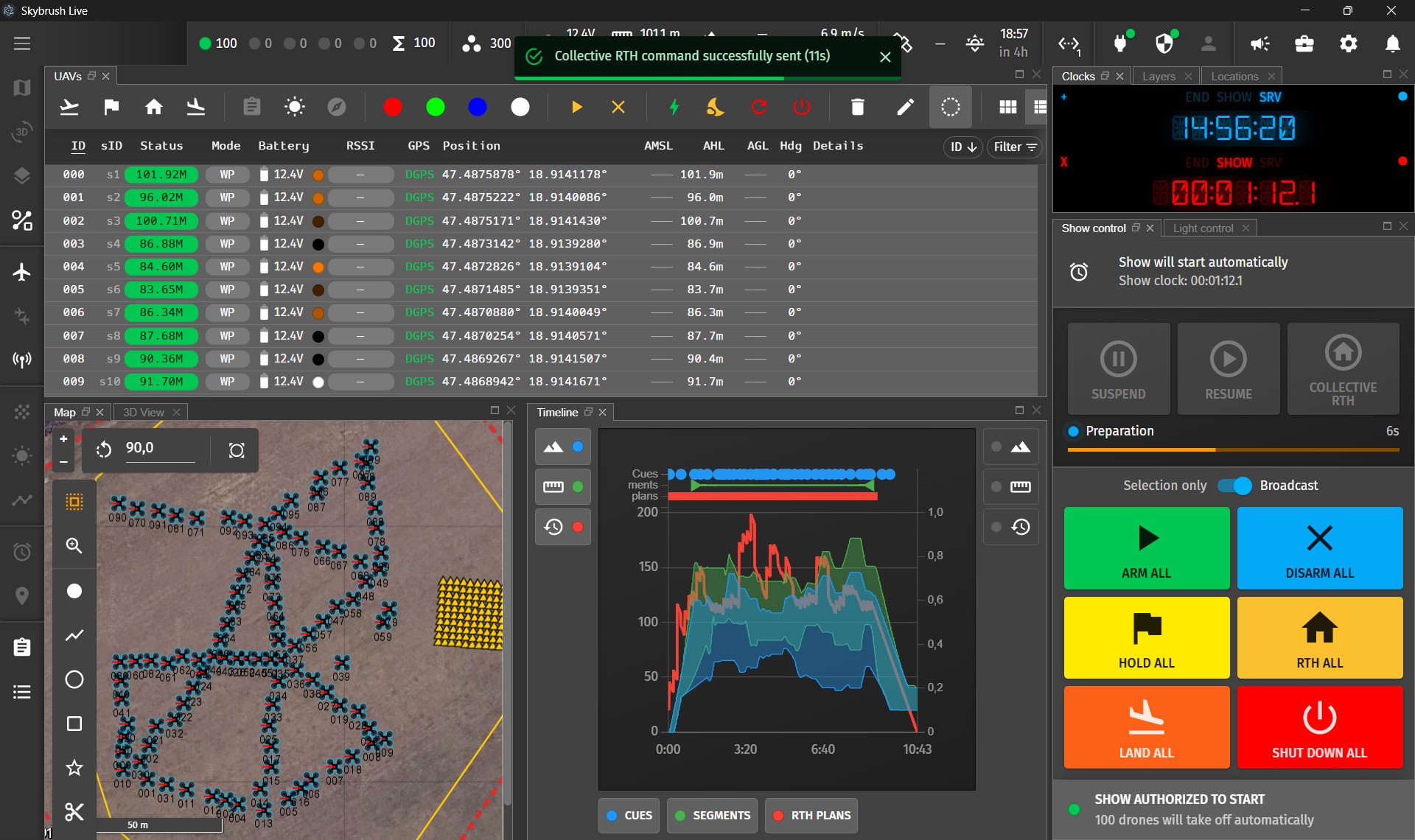
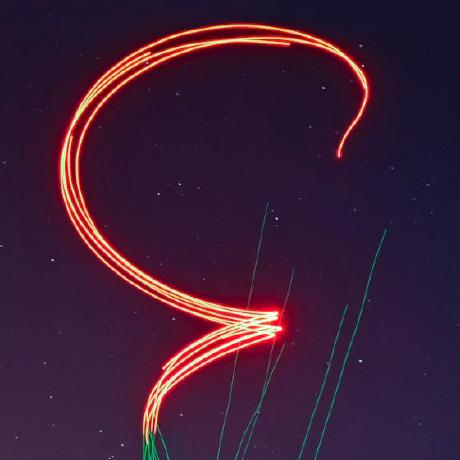
Skybrush Live 2.14 is out with many exciting new features, including parameter and firmware version comparison, RTK preset management, persistent widget tooltip panels, and a new show timeline panel. If you are interesed in these details, please read our release blog post. In this post, we focus on the most important update: Collective RTH (CRTH) — a new way to stop and cancel shows safely, in a coordinated manner.
Collective RTH is available only for Skybrush Live Professional license holders.
⚠️ WARNING: To gain access to collective RTH, suspend and resume functionality, you must upgrade to the latest version of Skybrush server (2.53.2 or later) and update your drones to the latest Skybrush Firmware (20260920 or later).
Why collective RTH instead of standard RTH or landing? #
A well-known, safety-critical weakness of most drone show software is the lack of a coordinated return-to-home procedure that can bring drones home along collision-free paths when a show has to be interrupted. In most systems, show drones blindly follow their pre-programmed trajectories and are unaware of the drones around them, so terminating a show puts operators in a stressful situation with only suboptimal options:
-
They can land the drones in place — unless the show is over water, infrastructure, forest, or similar terrain — but drones landing on top of each other can easily get damaged, and recovering a scattered fleet from arbitrary terrain takes a lot of unnecessary effort.
-
They can stop the show, make the drones hover in place, then manually sort them by altitude and send them home one by one with low-level, individual RTH commands. However, this procedure takes a long time, it is prone to human error, and most importantly, it offers no coordination between drones, so it can lead to dangerous mid-air collisions.
The good news: that stressful scramble is now a thing of the past with Skybrush. We have implemented collective return-to-home so you can interrupt a show at any time with minimal effort. Collective RTH is officially available from Skybrush Live 2.14.
When would you need to interrupt a show? #
There are several situations where stopping a show and bringing the drones home safely is essential:
-
During testing, when you want to launch a few or all of the drones without running the full show, it is very convenient to bring them back to their individual takeoff positions with a single click.
-
When weather conditions change unexpectedly — storms arrive faster than forecast, or conditions aloft turn out to be more severe than they seemed on the ground. A classic example is encountering stronger high-altitude wind than the calm conditions on the ground would suggest.
-
When unauthorized, external, or higher-priority aircraft enter the flight area and the show must be terminated as soon as possible.
-
When drone batteries drain much faster than expected due to strong wind or cold temperatures.
These are rare cases, of course, but in such moments, a safe failsafe procedure can save you many times the cost of an annual fleet license — in just a few minutes.
How does collective RTH work? #
In Skybrush, collective RTH is essentially a set of pre-programmed, smart RTH maneuvers planned for different moments in the show. You can think of it as extending your show with multiple alternative endings at different timestamps, of which the closest one is triggered dynamically during execution.
The collective RTH plans are calculated in Skybrush Live in the new Plan collective RTH dialog and become part of the show data uploaded to the drones during the normal preparation process — no extra effort required.
You trigger collective RTH with the dedicated new button on the Show control panel. A single click is enough; you only need to follow the progress until the procedure is complete.
When collective RTH is triggered, the drones first continue along their show trajectories for a short while as Skybrush Server notifies all of them (over all available communication channels) to prepare for the failsafe maneuver. They then slow down while still following their trajectories, ensuring that they start the RTH from a stationary hovering position where safe neighbor distances are preserved. Finally, they execute the return-to-home maneuver automatically, in a fully coordinated way.
What are show suspend and resume? #
In addition to collective RTH, we have also added simple suspend and resume buttons to the show control panel, allowing you to pause the show mid-air and continue it at any time. Use them for fun, for flexible timing between formations, or as a failsafe to hold the fleet steady in the air and gain time while you decide what to do next in a critical situation.
How to use collective RTH in Skybrush Live? #
-
Purchase the Skybrush Live Professional bundle to unlock the collective failsafe commands (CRTH, suspend, resume).
-
Download and install the latest version of Skybrush Live from your Skybrush account (version 2.14.2 or later). After installing it, enable experimental features from the Display properties.
-
Download and install the latest release of Skybrush Server from your Skybrush account (version 2.53.2 or later).
-
Update drones to the latest drone firmware available in your Skybrush account that supports collective RTH (version 20260920 or later).
-
Generate a
.skycshow file that already contains formation annotations for the three show phases:Takeoff,Show, andLanding. These annotations have been available in Skybrush Studio for Blender since version 3.8.0. -
Generate the collective RTH plans in Skybrush Live as part of the preparation process, and upload the enhanced show before flying using the standard show upload procedure. You can use the new Timeline panel in Skybrush Live to review the details of your show, including the generated collective RTH plans.
-
Fly the show and press the Collective RTH button on the Show control panel when convenient.
Providing feedback #
If you would like to try our latest features, we would love to hear your feedback so we can keep improving them based on your ideas and requests.
⚠️ WARNING: The collective RTH feature is still experimental. Please use it with care and report any issues you encounter!
You can share feedback on our Discord server or directly in the Skybrush Server and Skybrush Live issue trackers on GitHub.
If you enjoy the open-core Skybrush Suite and wish to keep using it, please consider a one-time or recurring donation, or purchase a professional license. Your support helps us keep Skybrush alive and continuously improve it with features tailored to your needs.
Thank you!