



Skybrush Studio for Blender 4.0 is out. We have not written about new Studio features since April, but the list of handy new features has already grown very long. To catch up, we provide here a summary of changes since then (covering versions above 3.11, up to 4.0).
Import PATH/PATH3 baked animations as formations #
The “Generate markers” feature has a new option: similarly to modular CSV formation import, you can now import zipped DSS PATH/PATH3 colored animations as well as unique formations to be added to the storyboard. Modular drone show design is practical and recommended for many reasons: your workspace becomes clearer, simpler, and more transparent; custom adjustments to individual formations do not affect other parts of the show; you can reuse your own or others’ prepared formations in new shows; and more. You can now also reuse formations prepared in other drone show design software.
Pyro support #
We have added proper pyro design support to Skybrush Studio for Blender. As this is a large topic in itself, please read our dedicated blog post on pyro for details.
Return to an aerial grid with smart RTH #
There is a new option for the smart RTH operator to return to an aerial grid above home only, instead of landing on the takeoff grid at the end. The new method also uses a new backend algorithm that ensures minimum distance requirements are not violated during the return to the aerial grid. This is achieved by returning to an enlarged grid first, then shrinking it horizontally at the end to reach the final required aerial grid.
Substantial speedup due to code optimization #
As larger and larger shows are designed with Skybrush Studio for Blender, the need for code optimization has become urgent. To substantially speed up behind-the-scenes calculations and improve usability, we have done the following:
-
We rewrote our most CPU-intensive algorithms in Skybrush Studio Server from Python to Rust. This alone roughly halved the runtime of many requests and also made the code more secure and easier to maintain.
-
Trajectories sent to the backend now use a new, compact binary format to speed up render requests and reduce bandwidth usage for remote backends.
-
We added an option for combined/parallel
.skycand validation.pdfexport to save time in the final stages of show design. -
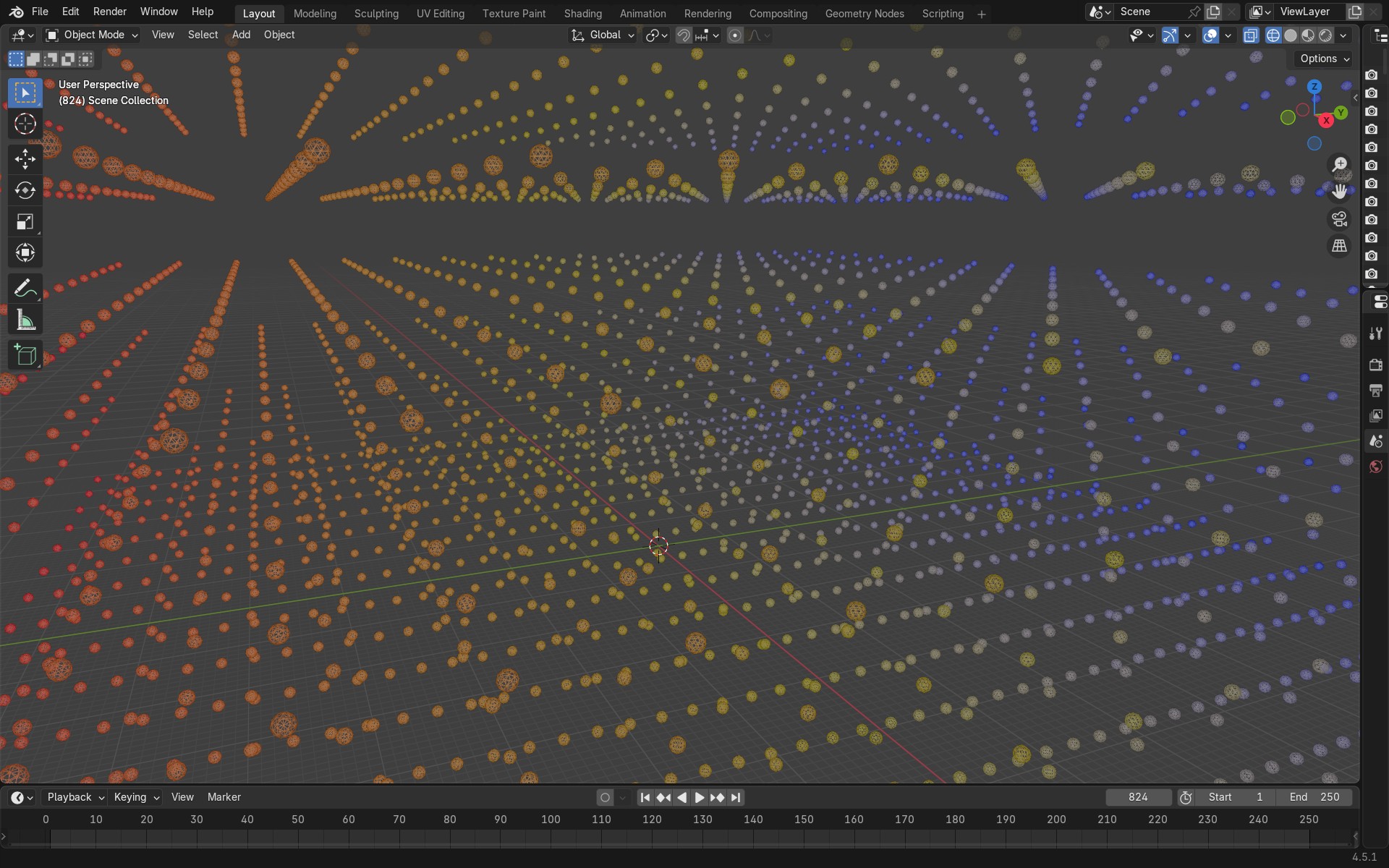
We completely rewrote the handling of light effects in Skybrush (hence the major version change). The earlier solution used a unique material for every single drone, which resulted in lower preview and render speed when the number of drones was high. We now use a shared material for all drones, stored only in the drone template object, and rewrote its shader node tree to use the
colorproperty of each drone as the input for material color. This resulted in the following advantages:- Preview of light effects is now significantly faster.
- All shading modes in the 3D Viewport (including Wireframe) can now display drone colors correctly.
- Export operations that start with color sampling are faster.
- As color animation is now stored in the drone objects themselves, colors can be keyframed efficiently using the Graph Editor and other standard Blender tools.
⚠️ WARNING: This last change is not backward compatible. Shows created in Skybrush Studio for Blender version 4.0 and above cannot be properly opened by older versions of the plugin. Migration operators for upgrading old files to the new storage format are executed automatically on load. This should work smoothly; if not, please contact us so we can resolve the issue.
Light effect import/export #
As a recurring community request, we have added import and export functionality for light effects to further support parametric, modular drone show design.
Thanks to users Martin M. and PeiYi, who raised the issue and started the implementation.
Attach light effects to storyboard #
To make drone show design even more parametric, there is a new option to attach light effects to storyboard entries (formations) or to transitions between formations. If you change the start or end time of the attached storyboard entry, the light effect shifts with it automatically (after pressing the “Recalculate transitions” button).
For convenience, you can also define an offset relative to the storyboard entry’s start and end times, which is preserved when moving the entry along the time axis.
Set start/end of storyboard entry or light effect to current frame #
Following another user request, we added small buttons with a ◁ icon next to the start and end frame properties of storyboard entries and light effects. These allow you to set the timing of these items to the current frame.
Blender 4.5 LTS support #
Blender has released its new long-term support version: 4.5 LTS.
We keep our promise to always support the latest Blender LTS version, so changes have been made behind the scenes to make the transition from 4.2 LTS to 4.5 LTS as smooth as possible. We now also support Blender 5.0 and have dropped support for versions earlier than 4.4.
Additional fixes #
We could not develop so intensively without our community and the users who take the time to report bugs, anomalies, and feature requests. Thank you for being part of this process. The following fixes were deployed based on user feedback:
-
Images and videos used as source material for light effects are now properly converted from sRGB to linear color space, thanks to @flopbuster.
-
When exporting a partial frame range, the time axis of the exported show file now always starts at 0:00.
-
Fixed a bug in the smart RTH calculation.
-
Fixed the discovery of Principled BSDF shader nodes when Blender is localized and the node has a different name than expected.
-
Fixed the CUSTOM Y output mode of light effects, which previously used X output functions by mistake.
For a full list of fixes and changes, see the official changelog.
Providing feedback #
Our intent is to keep as much code open source as possible. In return, we ask those who design large commercial shows to purchase a professional license for Skybrush Studio for Blender to support its maintenance and development. We also encourage you to share feedback on our Discord server or directly in the issue tracker of the corresponding repository on GitHub, whether about bugs, feature requests, or other ideas.
Community feedback significantly shapes the evolution of Skybrush. Thank you for contributing.